Virtual Receptionist for Law Firms: Intake and Confidentiality
Telofia team · · 12 min read
A virtual receptionist for law firms is a person or an AI assistant that answers the phone while you're in court or in a meeting. It takes new client enquiries, books consultations and puts urgent matters through. Discretion rests on one simple rule: collect only contact details and the general subject, with no case details and no advice.
Contents
- Who answers the firm's phone when you're in court or in a meeting?
- What are the options for handling a law firm's calls?
- How should a virtual receptionist for law firms take new enquiries?
- Does an automated answering service for law firms breach confidentiality?
- Accountancy practices: how do you survive deadline season?
- How do you set up an AI assistant for a law firm?
- What mistakes should you avoid when handling a law firm's calls?
- How do you get started?
- Frequently asked questions
Who answers the firm's phone when you're in court or in a meeting?
Whoever you decide on in advance: a secretary, an external call answering service, an AI phone assistant or, as a last resort, voicemail. The worst option is not deciding at all, because then the phone just rings in an empty office.
The problem is the same as at an estate agency or for a tradesperson: the most valuable calls come in exactly when you're busy with a client. A law firm, however, also has confidentiality and deadlines that can't be moved.
Example: a two-person firm, one solicitor in a hearing from 9:00 to 13:00, the other in a client meeting. During that time, someone calls about an urgent payment demand, a regular client asks about a deadline and someone else has dialled the wrong number. Each of these calls needs a different response.
The urgent category only works if it comes with examples and a rule for each one:
- Example: a court letter with a short deadline – rule: put the call through to the solicitor handling the matter; if they don't answer, note the date of service and the deadline in the letter, and schedule a callback the same day.
- Example: a relative has been arrested – rule: put the call straight through to the solicitor on call; take only the caller's first name, their number, the full name of the person arrested and where they are being held.
- Example: an urgent demand from the tax office – rule: put the call through to the person who handles tax matters; if they don't answer, note the deadline in the demand and agree a callback time.
The name of the other party or of the person arrested is also information about real people. Collect only what you need to respond and to run a conflict check, without describing the circumstances.
What are the options for handling a law firm's calls?
You can choose from five models, which differ in availability and in whether they will actually take a new enquiry. Below is a comparison of the categories, without naming specific providers.
| Option | Availability | Takes a new enquiry? | Best for |
|---|---|---|---|
| Voicemail / answering machine | 24/7, but only a recording | Rarely, the client has to leave a message themselves | Very few calls |
| Forwarding to the solicitor's mobile | When the solicitor can pick up | Yes, but it interrupts work | Sole practitioners |
| In-house secretary | Office hours | Yes, with full context | Firms with an on-site reception |
| External call answering service | Depends on the contract | Yes, following a script | Firms that want a human voice |
| AI phone assistant | 24/7 | Yes, takes the details and books a slot | Firms and practices with waves of calls |
If most of your calls are new enquiries and consultation bookings, voicemail alone won't be enough. We compare the costs of each model in Telephone Answering Service Cost in 2026: UK Pricing Models Compared.
How should a virtual receptionist for law firms take new enquiries?
Take only as much information as you need for a callback and an initial assessment, and leave the case details for the consultation with a solicitor. That protects both the client and you, whoever answers the phone.
What the receptionist doesn't do is just as important. They don't assess the prospects of a case, don't quote fees that aren't on the price list, don't confirm to third parties whether someone is a client of the firm and don't leave details in a message on someone else's voicemail.
You can hand the script below to a secretary or an external answering service, or enter it in the AI assistant's settings. Start with a neutral greeting, then ask the questions in this order:
- Greeting — “Hello, [firm name]. How can I help?”
- Full name — “Could I take your full name, please?”
- Callback number — “What's the best number to call you back on?”
- General type of matter — “What is the matter about, broadly? One sentence is fine; the solicitor will go through the details.”
- Other party — “Who is the other party in the matter? I only need the company name or the person's full name.”
- Deadline — “Is there a deadline in the matter, for example a hearing date or a date to reply to a letter?”
- Consultation — “Would you prefer the consultation in the office, online or by phone? Which time suits you?”
Add ready-made answers to the three questions that come up most often and are the easiest to get wrong:
- “Is X a client of yours?” — “We don't give out information about who the firm represents. I can take a message and pass it on to a solicitor.”
- “What are my chances?” — “That can't be assessed without looking at the matter. I can book a consultation where a solicitor will go through it with you.”
- “How much will it cost?” — “The cost depends on the type of matter, and the solicitor will discuss it at the consultation.” If you have a consultation price list, add its wording; the receptionist doesn't quote any other fees.
Does an automated answering service for law firms breach confidentiality?
The technology alone doesn't decide confidentiality; the settings and contracts do. A virtual receptionist for a law firm is only as discreet as the range of data it collects and the place where it stores it.
Before you choose, ask every provider, human or AI, the same things:
- Where the data is stored – recordings, transcripts and call summaries.
- Who has access to it – on your side and on the provider's side.
- Data processing agreement – whether there is one and what it covers.
- Information for the caller – whether the call is recorded and whether they're speaking to an AI.
Telofia stores data in the EU (Frankfurt), complies with GDPR with a data processing agreement and states at the start of every call that the caller is speaking to an AI. For more on what a well-handled call should include, read Automated Phone Appointment Booking: What a Good Call Must Do.
Accountancy practices: how do you survive deadline season?
During tax-return season, you'll win back the most time when repetitive questions get ready-made answers and everything else is gathered into fixed callback windows. Constant phone interruptions make it hard to focus on returns.
Call peaks usually come before the annual income tax return deadlines for individuals and businesses and before periodic tax filing deadlines. We don't give specific dates here because they depend on the country and the year – check them in the current tax calendar on the tax authority's official website and add them to the practice's schedule.
Example – assumptions: a practice with two accountants, 30 calls a day in season, 4 minutes per call on average, half of them questions about the document list, deadlines and opening hours. That's 60 minutes a day on repetitive questions, but we assume one in five of those 15 callers still needs a callback, so you win back about 48 minutes a day, or 16 hours over 20 working days. Plug in your own numbers and multiply the result by the value of an hour's work at your practice.
- Write down the 10 most common questions and short answers: the document list, how to send documents and the date until which the practice accepts them.
- Set callback windows – e.g. twice a day for 30 minutes – and tell callers about them.
- Add a temporary notice about the season, e.g. about changed hours or the deadline for submitting documents.
- Separate urgent from important – urgent means, for example, a letter from the tax office with a short reply deadline, which is put through straight away.
How do you set up an AI assistant for a law firm?
Telofia is an AI phone assistant that answers calls for law firms and accountancy practices 24/7, takes enquiries, books consultations and puts urgent calls through. You'll find the details for your sector on the virtual receptionist for law firms page.
- Client calls the firm
- Assistant says it is an AI
- Takes the details and general subject
- Checks the solicitor's calendar
- Books a consultation
- Summary arrives by email
In the assistant settings, you choose the voice, a neutral greeting, your opening hours (the Business hours card), transfer rules for urgent matters and the services to book, e.g. a 30- or 60-minute consultation.
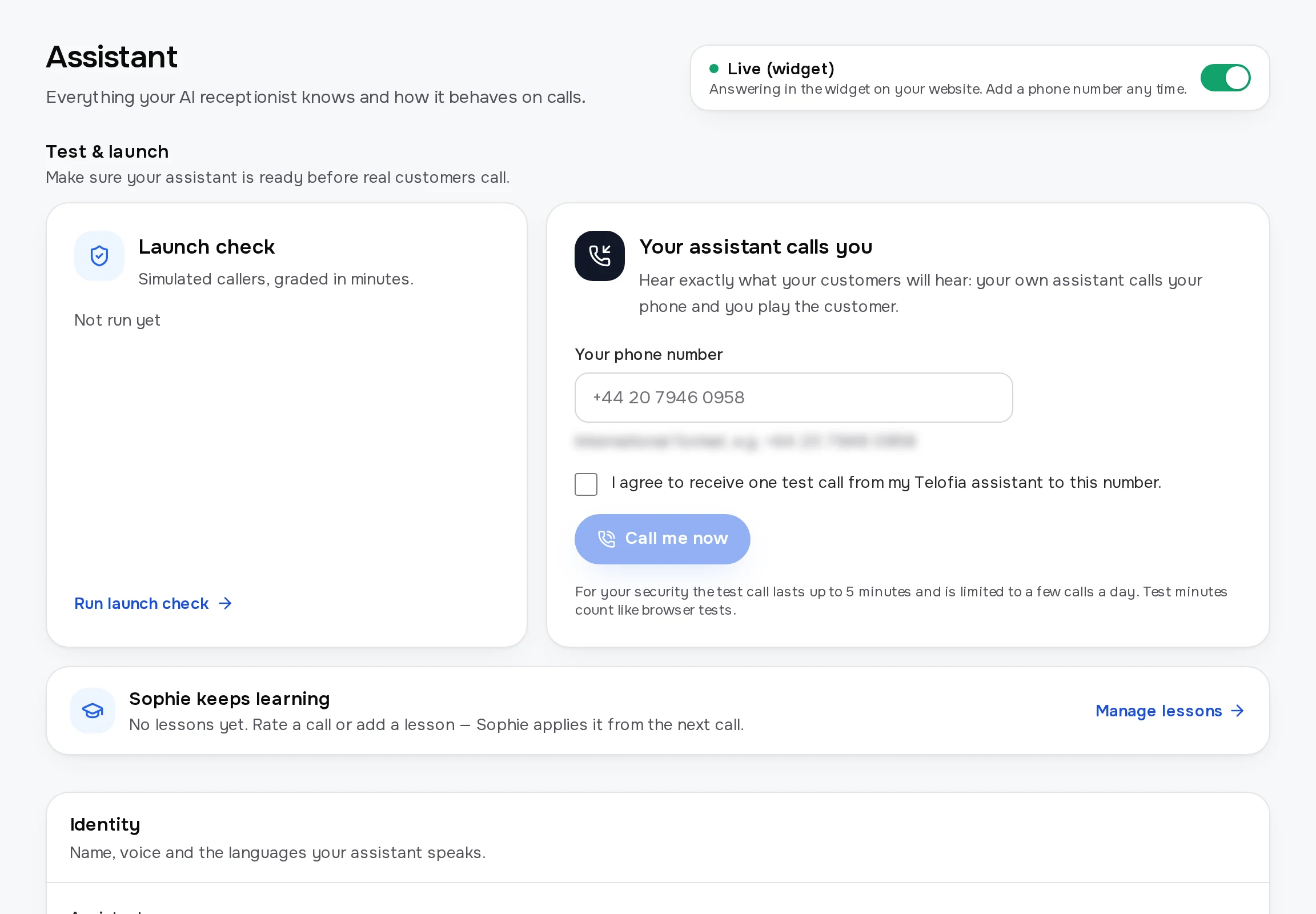
- Caller details – up to 8 items, e.g. type of matter, other party, deadline; each required or optional.
- Team – each solicitor or accountant can have their own calendar; consultations go into Google Calendar or the built-in calendar.
- Notices and closed days – a notice about tax-return season or the firm's holiday, with an end date.
- Knowledge – the assistant learns from your website and from the questions in the FAQ tab, including the ready-made answers from the script above.
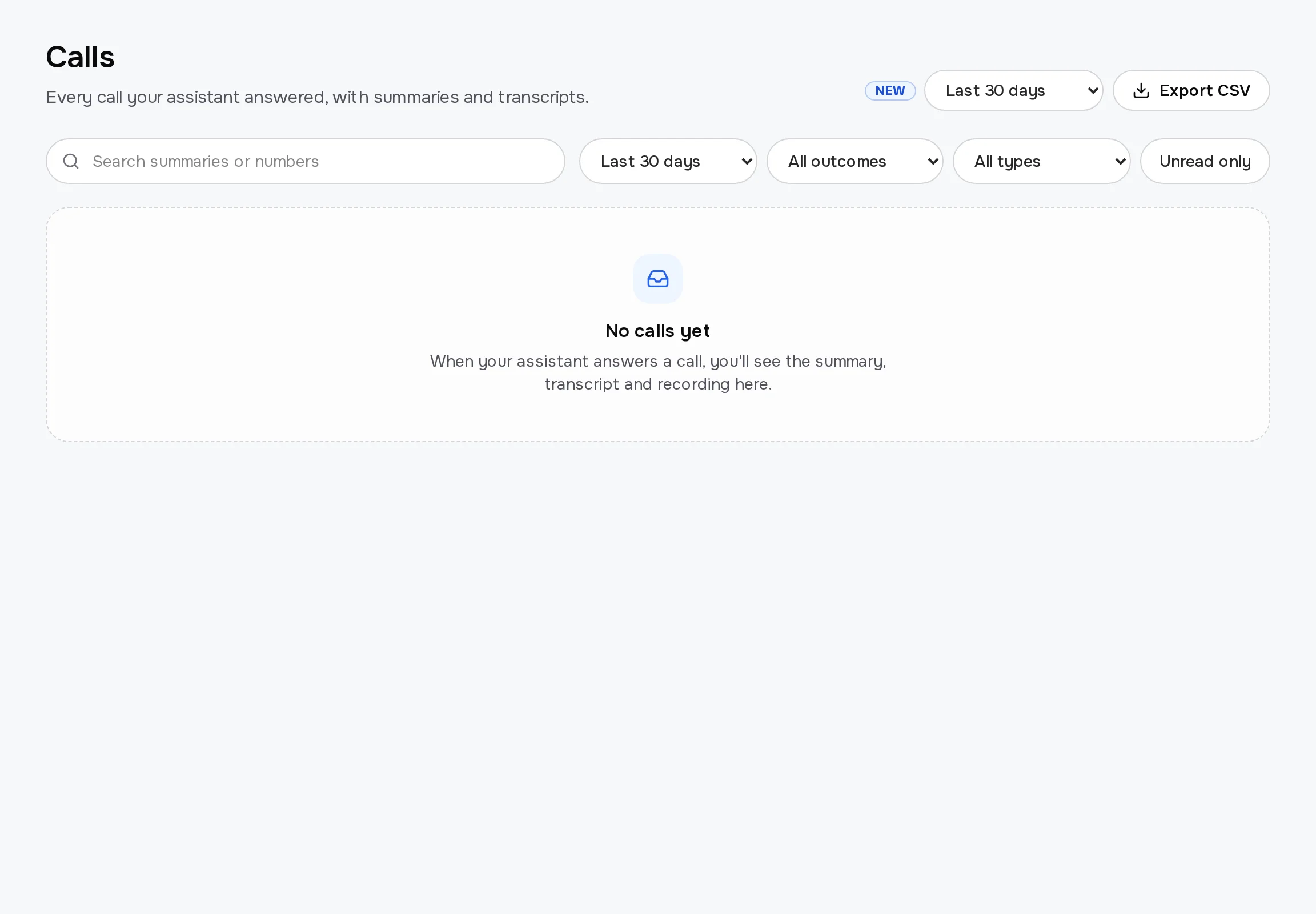
After every call, you get a summary by email, and on the Calls page in the dashboard you have the summary, recording and transcript. That way, you call back already knowing what it's about.
You get a phone number with a paid plan, and you can keep the firm's current number and forward it. During the 14-day trial, you test the assistant in your browser, and live transfers start working once you choose a plan. We describe the rest of the set-up in how it works.
What mistakes should you avoid when handling a law firm's calls?
The most common mistakes don't come from the technology but from a lack of agreed rules. Check your firm's call handling against this list:
- The greeting gives away the subject – a neutral greeting protects the caller when other people are nearby.
- The receptionist collects too much – case details over the phone are a risk, not better service.
- No ready-made answers – questions about prospects, costs and other clients need agreed wording, not improvisation.
- No definition of an urgent matter – without examples and rules, either everything gets put through or nothing does.
- Callbacks without a time – a client who doesn't know when someone will get back to them keeps looking.
- No conflict check – it's worth knowing the other party's name before the consultation, not during it.
- The same handling in and out of season – at an accountancy practice, the peak calls for a notice and callback windows.
How do you get started?
The simplest way is to try it on your own scenarios: run a test call (the Test call step) in your browser, playing a new client, a regular client with an urgent deadline and someone asking whether a particular person is a client of the firm.
Create your Telofia account and test the assistant in your browser for 14 days with 30 free minutes, no card required.
Frequently asked questions
Can a virtual receptionist for a law firm give legal advice?
It shouldn't, and it doesn't need to. Its job is to take the enquiry, collect contact details and the general subject, and book a consultation; assessing the matter is left to the solicitor.
Does the client know they're talking to an AI?
Yes. Telofia states at the start of every call that the caller is speaking to an AI assistant. The client can ask to speak to a solicitor, and the assistant will take a message or put the call through according to your rules.
Where is call data stored?
Telofia stores data in the EU, in Frankfurt, and complies with GDPR under a data processing agreement. You can see recordings, transcripts and summaries on the Calls page in the dashboard.
Can I keep the firm's current number?
Yes. Your current number stays the same, and once you choose a plan (a Telofia number is included in every plan) you forward calls to the assistant, e.g. only when you don't answer. Clients keep calling the same number as before.
Can the assistant handle clients who speak another language?
Yes. Telofia speaks 8 languages on calls, including English, German and Polish, and recognises the caller's language in the first sentence. That's useful for law firms and accountancy practices with clients from abroad.
Try Telofia on your own calls
Set up your AI receptionist in about five minutes: 14-day trial with 30 free minutes, no card needed for the browser test.
Prefer to hear it first?
Enter your number and the assistant calls you within seconds, acting as the receptionist of your business.
Also available in: Polski, Deutsch, Español, Français, Italiano, Português, Nederlands