Answering service for estate agents: stop losing buyers
Telofia team · · 11 min read
An answering service for estate agents works when every property enquiry is answered or returned quickly and the caller's details reach you in writing. During viewings, someone in the office, a call answering service or an AI receptionist can take your calls. An AI receptionist asks about the property, budget and timing, books the viewing and sends you a summary.
Contents
- Why don't estate agents answer the phone, and what does it cost?
- What are the options for an answering service for estate agents?
- Who answers the phone when you're at a viewing?
- Ready-made templates: greeting, text message and call script
- How does Telofia handle calls from your listings?
- What mistakes should you avoid? A checklist for estate agencies
- Where should you start?
- Frequently asked questions
Why don't estate agents answer the phone, and what does it cost?
Agents miss calls because they spend most of the day out of the office: at viewings, dealing with paperwork, in the car. Taking a call in the middle of a viewing is rude to the buyer, and a missed call puts off the next person.
Someone ringing from a property portal also has other agencies' listings in front of them. If nobody picks up, they dial the next number and book a viewing there.
Example — assumptions: you miss 40 calls about listings a month, and 1 in 40 of those enquiries ends in a sale. Your missed calls then cost you on average one lost sale, meaning one full commission, a month. These are only assumptions — plug in your own number of calls and multiply the result by your average commission per sale.
What are the options for an answering service for estate agents?
You have five realistic options: voicemail, calling back in fixed slots, someone in the office, an external call answering service or an AI virtual receptionist. The difference is whether someone actually talks to the client and books the viewing.
| Option | Who talks to the client | Availability | Best for |
|---|---|---|---|
| Voicemail | Nobody, the client leaves a message | Always, but no conversation | Very few calls |
| Callbacks in fixed slots | You, between viewings | Only in scheduled blocks | Agents working on their own |
| Someone in the office | An assistant or a colleague | Office hours | Agencies with several agents |
| External call answering service | An operator who takes a message | Depends on the contract | When a message is enough |
| AI virtual receptionist | AI that asks questions, books and transfers | 24/7 | Lots of enquiries, little time in the office |
If all you need is a message, voicemail or an answering service will do. If you want the client to get a viewing slot straight away, you need someone or something with access to your calendar.
Whichever option you choose, a few simple habits help:
- A specific voicemail greeting — say when you'll call back and ask for the property reference (there's a template below).
- Fixed callback slots — block 15 minutes in your calendar after every viewing.
- A text after a missed call — a short message saying you'll call back stops some people from ringing the next agent.
- A property reference in every listing — the client can give it straight away, and you know which property they mean.
Who answers the phone when you're at a viewing?
Whoever you nominate in advance: a colleague, an answering service or an AI receptionist you forward your calls to. What matters is that this person or system knows what to ask, because a note saying “someone called” is of little use to you.
For a property enquiry, always collect the same details:
- Property reference or address — so you don't have to guess which listing they mean.
- Buying or renting — it changes the rest of the conversation.
- Budget and how they're financing — cash, mortgage, mortgage application in progress.
- Convenient viewing times — the days and times that suit the client.
- Name and phone number — confirming the number is correct.
The whole process from call to booked viewing looks like this:
- Client rings about a listing
- Questions about the property and budget
- A free viewing slot is offered
- Text confirmation
- Summary sent to the agent
Ready-made templates: greeting, text message and call script
Copy the templates below and fill in the brackets with your details: your name, agency name and callback time.
- Voicemail greeting — “Hello, this is [name] from [agency name] estate agents. I'm at a viewing right now. Please leave your name, the property reference from the listing and whether you're looking to buy or rent. I'll call you back today by [time].”
- Text after a missed call — “Hello, this is [name] from [agency name]. I'm at a viewing and can't talk right now. I'll call you back by [time]. If it's about a particular property, just reply with its reference and I'll have the details ready.”
- Script for whoever answers during a viewing — “Good morning, [agency name], [name] speaking. [Agent's name] is at a viewing, but I'm happy to help. Which property are you calling about — do you have the reference or address? Are you looking to buy or rent? What's your budget, and will you be buying in cash or with a mortgage? Which days and times suit you for a viewing? Could I take your name and a number to call you back on — I'll read it back to be sure. [Agent's name] will call you back by [time].”
How does Telofia handle calls from your listings?
Telofia is an AI virtual receptionist that answers business calls 24/7, books appointments, takes messages and transfers urgent calls. For an estate agency, that means a client calling about a listing talks to the assistant instead of listening to the phone ring.
In the assistant settings you set its name, voice, greeting, office hours, call transfers and appointment booking. At the start of every call, the assistant says that it is an AI.
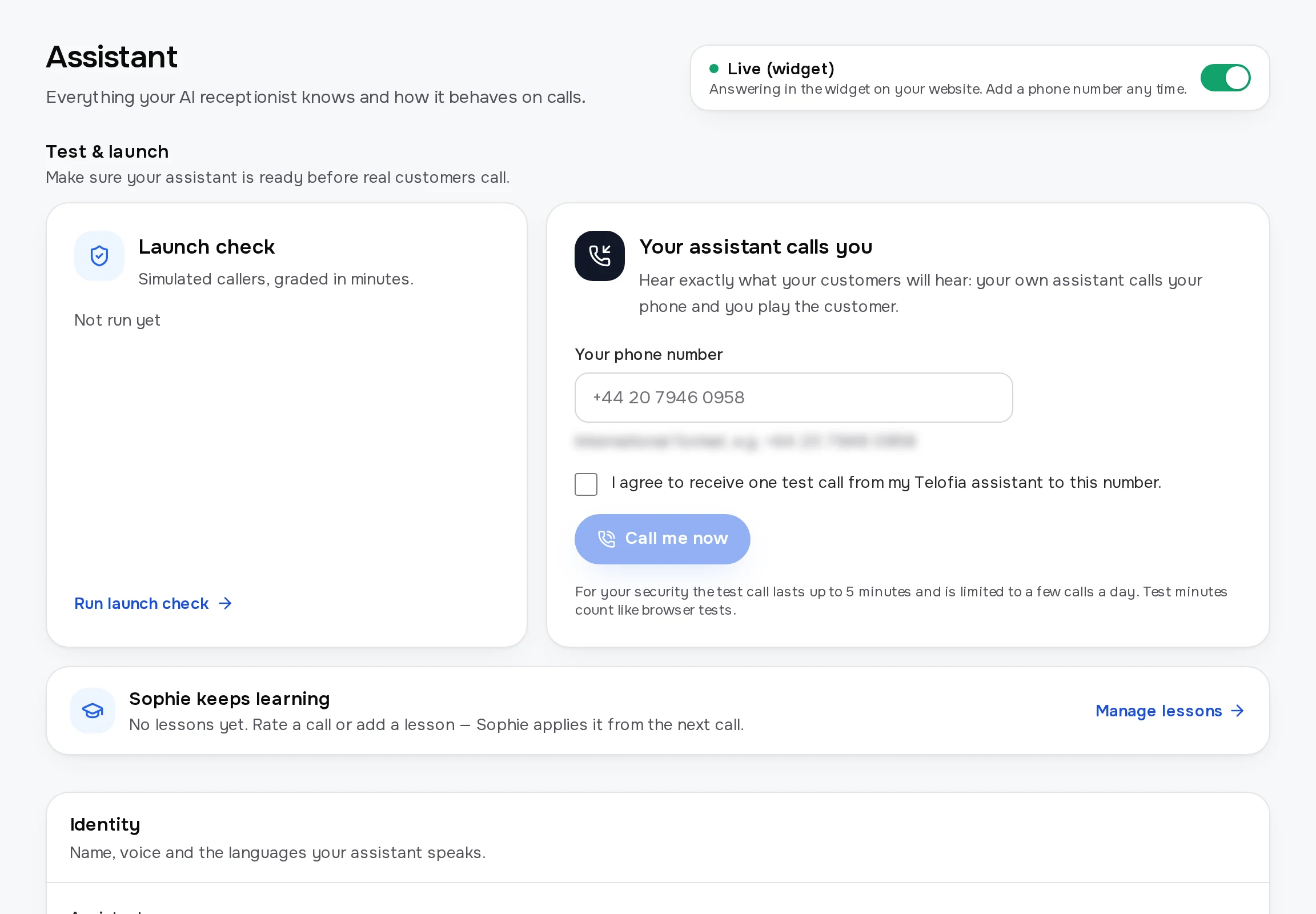
The most important settings for an estate agency:
- Knowledge → Website pages → Import website with your listings page and tick Re-import every week, so the assistant keeps its knowledge of your listings up to date.
- Caller details → Add item: property reference, buying or renting, budget, financing (up to 8 items, each required or optional).
- Integrations → Calendars → Google Calendar → Connect and choose the Calendar for bookings; in Assistant → Appointments → Add service, add a property viewing, and in Team → Add a person, choose each agent's Calendar and click Save team. If an agent is fully booked, the assistant suggests a colleague or another day.
- Assistant → Call transfers → Add transfer rule for urgent matters, such as a seller.
- SMS → Automations → switch on Booking confirmation and Appointment reminder → Save settings.
After every call you get a summary by email, and under Calls you'll find the recording, transcript and outcome. Between viewings, you can check in a minute who called and what was agreed.
At one of the companies working with Telofia — an estate agency — the assistant books meetings in the calendar, confirms them by text, takes callback requests and records messages for the team. It handles several dozen calls a month, and roughly one in ten ends with a booked meeting.
The assistant won't replace you in everything. Decide in advance what it shouldn't do and when you need to call back yourself:
- Price negotiations — the assistant doesn't make up discounts; it passes requests for a price reduction to your team.
- Confirming a property is still available — website knowledge refreshes once a week, so a property sold yesterday may still be in it. In Knowledge → FAQ, add an answer saying that availability is confirmed by the agent.
- Legal status, contracts and technical details — leave these questions for a conversation with the agent; the assistant will take a callback request.
- Sellers and clients ready to reserve — have them transferred to you live with a transfer rule.
Your advertised number stays the same: you set up forwarding, for example when you don't answer within 20 seconds, with the code **61*+NUMBER**20#. The Telofia number you forward to comes with your plan — details in the FAQ below.
There's more on the codes in our call forwarding guide, and the how it works page covers the rest of the setup. For sector-specific details, see virtual receptionist for estate agents.
What mistakes should you avoid? A checklist for estate agencies
The most common mistake is leaving calls “for later” without any plan. Check your agency against this list:
- One number on your listings — several agents' numbers make forwarding and keeping track of enquiries harder.
- Forwarding when there's no answer — a call should never end with endless ringing or a full voicemail box.
- A fixed list of questions — every person or system answering the phone collects the same details about the property and budget.
- Calendar access for whoever books — without it, the client hears “we'll call you back with a time”.
- A rule for urgent matters — sellers and clients ready to reserve get through to you straight away.
- Text confirmation — the client has the viewing time confirmed in writing, which reduces the risk of mix-ups.
- A daily review of calls — you check callback requests before the client rings someone else.
Where should you start?
Start by logging missed calls for a week, then test the assistant with your own clients' questions. Telofia gives you a 14-day trial with 30 free minutes, and the browser test doesn't need a card.
Sign up and test the assistant with sample enquiries about your properties. Plans start at £35 a month excl. VAT on yearly billing — details on the pricing page.
Frequently asked questions
My estate agency isn't answering the phone — what can an agent do?
Set up call forwarding on no answer to someone in the office, an answering service or an AI receptionist. Add a specific greeting with a callback time and review contact requests every day. Most importantly, make sure callers leave the property reference and their details.
Who answers the phone when I'm with a client?
Whoever you forward your calls to: a colleague, an external answering service or an AI virtual receptionist. An AI receptionist answers 24/7, asks about the property and budget, books the viewing in your calendar and transfers urgent matters to you.
Do I have to change the number on my listings?
No. You keep your current number and forward calls to the assistant, for example with the code **61*+NUMBER**20# when there's no answer after 20 seconds. The dashboard shows the exact code under Phone numbers.
What can I test during the free trial?
For 14 days you have 30 free minutes and test the assistant in your browser and in the widget on your website. You only get a Telofia number with a plan — it's included in every plan — and that's also when live call transfers start working; during the trial the assistant takes a message instead.
Does the client know they're talking to an AI?
Yes. The Telofia assistant says at the start of every call that it is an AI — more on the AI disclosure page. Data is stored in the EU, in Frankfurt.
Try Telofia on your own calls
Set up your AI receptionist in about five minutes: 14-day trial with 30 free minutes, no card needed for the browser test.
Prefer to hear it first?
Enter your number and the assistant calls you within seconds, acting as the receptionist of your business.
Also available in: Polski, Deutsch, Español, Français, Italiano, Português, Nederlands